


 |
 |
|
How do I use Google Scholar with the Library's online subscriptions?
A vast amount of the most reliable online content can be accessed through the Library website. The library subscribes to e-journals which often include full-text articles just like you would see in the printed volumes on the Library shelves. Most of these e-journals are generally not available through internet search engines, but need to be accessed through the Library's databases.
However, Google has a service much like the library databases called Google Scholar. There is one key to using it effectively, however:
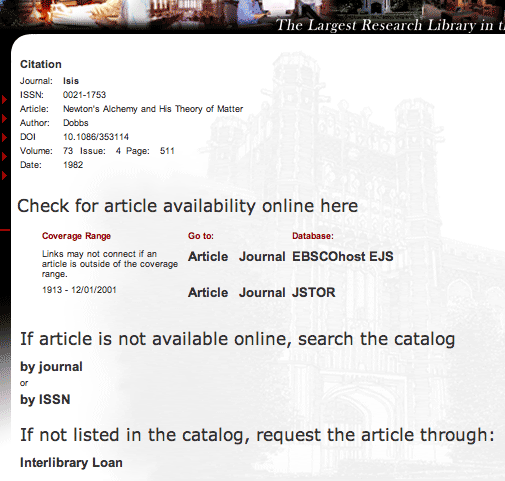
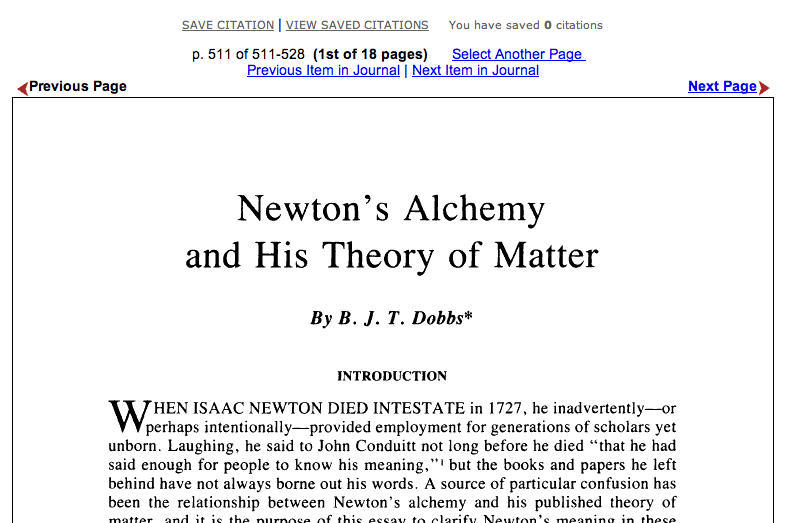
You can go to Google Scholar directly from the Google search engine website, but if you do then you may not have access to online full-text publications obtained through library subscriptions. On the other hand, LORA is linked to Google Scholar in such a way that the results of your searches will link back to the library's online and printed holdings, even if you are off campus!
To search Google Scholar, here's what to do:

What Library holdings does Google Scholar miss?
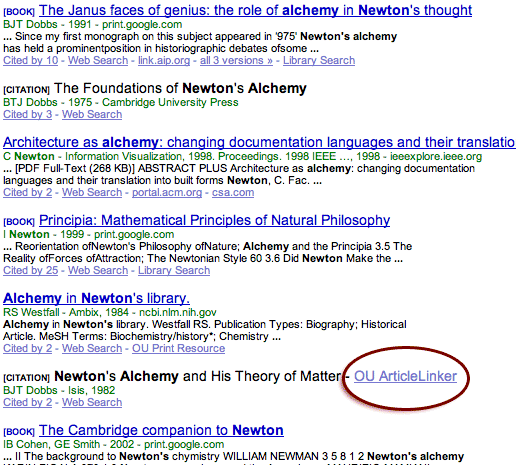
Right now Google Scholar is in beta, and the results are hit or miss. For example, the OU library actually holds the two printed books by Dobbs shown at the top of the search results shown above (e.g., Janus Faces of Genius). They do not have the OU ArticleLinker link beside them, but they should. Eventually, Google Scholar will probably add the OU ArticleLinker link to these items also. But Google Scholar will never be as accurate as searching the library catalog and databases directly. The same is true for articles and e-journals as well as printed books. So while Google Scholar will be a great way to identify publications of interest to you, never assume that an item is unavailable through the Library just because there is no direct link.
Do I still need other Library databases?
The library has hundreds of databases that allow for more precise searches than Google Scholar if you are looking for publications on specific topics. The library databases also cover a broader scope of academic journals (including e-journals) than Google Scholar. Google Scholar makes a great first-step general search, but you will always find additional results that may be more relevant through the other Library databases, such as the Isis bibliography for the history of science.
Here's how to search the library databases.
What are the other links in the Google Scholar results page?
Only the OU ArticleLinker link was discussed above, but there are other links to explore (see image above):
Biology educator and graduate student Geary Crofford reports, after comparing the search results of Google with Google Scholar: "I decided to search for Rhea darwinii, the bird Darwin famously realized he had just eaten, after searching intently for it. Farber mentions it in chapter five of Finding Order in Nature. A search on Google yielded general encyclopedic descriptions of the bird, for the most part, and references to natural history museums, etc. A search using Google Scholar, however, obtained mostly links to scientific publications, and especially links to original works by Darwin. For instance, the first link was to a 1961 article from The Geographical Journal titled "Man and the Environment in the South Chilean Islands". I also noticed that I could directly access the articles, since I had logged in through the OU libraries. When I did the same on Google Scholar without logging in, the articles were usually not available. This gives me another valuable tool in my research arsenal, and reinforces previous notions about using direct, original, and sound references as much as possible."
Do you have a great quote for this page? Let me know! (If used, a new quote is worth 1 point extra credit)

|
HSCI 3013. History
of Science to 17th century |
spellcheck.net | wordcounter.net
Many thanks to the pedagogical model developed in Mythology and Folklore and other online courses by Laura Gibbs, which have been an inspiration for this course.
|
|
This course is currently undergoing major reconstruction to bring it into alignment with the new version of the course at Janux |
|||


